TabShop Server at a glance
| What it is | Self-hosted back office for stock, invoices, customers, suppliers and purchase orders of small shops (café, restaurant, bakery, boutique, corner store). |
|---|---|
| Where it runs | On your own hardware in your own network: Raspberry Pi, old PC, NAS, Docker or a small VPS. |
| Cost | €0 licence. No subscription, no fee per user, terminal or invoice, no hidden fees. |
| Privacy | All data stays on your server. No cloud, no sharing with third parties, no foreign provider seeing your sales data. |
| Technology | Single Go binary with web UI and REST API, SQLite file as database, Docker image available. |
| Till | TabShop Android app as an offline-capable till, connected to the server by QR code. |
| Languages | English, German, Spanish, Thai |
| Licence | Elastic License 2.0 (source-available) |
You run it. You own it.
Most point-of-sale and inventory tools today are rented software: monthly fees, price hikes at the vendor's whim, and your sales data on servers you have never seen. TabShop Server turns that around.
Invoices, customers, suppliers and prices live in one SQLite file on your hardware. Back it up, copy it, take it with you at any time – no vendor lock-in.
A Raspberry Pi behind the counter is enough. The till only talks to your server in your own network – and keeps working offline when the internet goes down.
No monthly fees, no per-user or per-terminal pricing, no hidden payments. You only pay for hardware and electricity.
Everything a small shop needs in the back office
From the till to the supplier order: one system, one login, one server.
Live dashboard
Sales, profit, average invoice value, stock value and stock health at a glance, with auto-refresh.
Products & stock
Categories, prices, cost prices, product pictures, search and paging – built for large catalogues too.
Invoices with PDF
Every checkout from your terminals syncs here: searchable, with PDF invoices to print or send.
Customers & loyalty points
A simple customer list with contact details and loyalty points.
Suppliers & restocks
Book deliveries, add to stock and keep the cost price as a weighted average automatically.
Purchase orders
Reorder suggestions, orders emailed to suppliers and partial deliveries booked against the order.
AI shop assistant
Your always-on back-office assistant: email it a question or an order and the answer comes right back – stock, reports, purchase orders, backups and more.
Taxes & discounts
Define your own tax rates and discounts once and use them on every product and sale.
Terminals via QR code
Connect every till or tablet with a QR code – it carries server address and credentials, nothing to type.
Team accounts with roles
Admin, manager, editor and viewer: staff only see and change what they should.
Multilingual
User interface in English, German, Spanish and Thai.
REST API
Every function is available through a REST API – used by the app and browser, open for your own integrations.
Demo data included
A fresh install starts with a sample menu so you can try everything straight away.
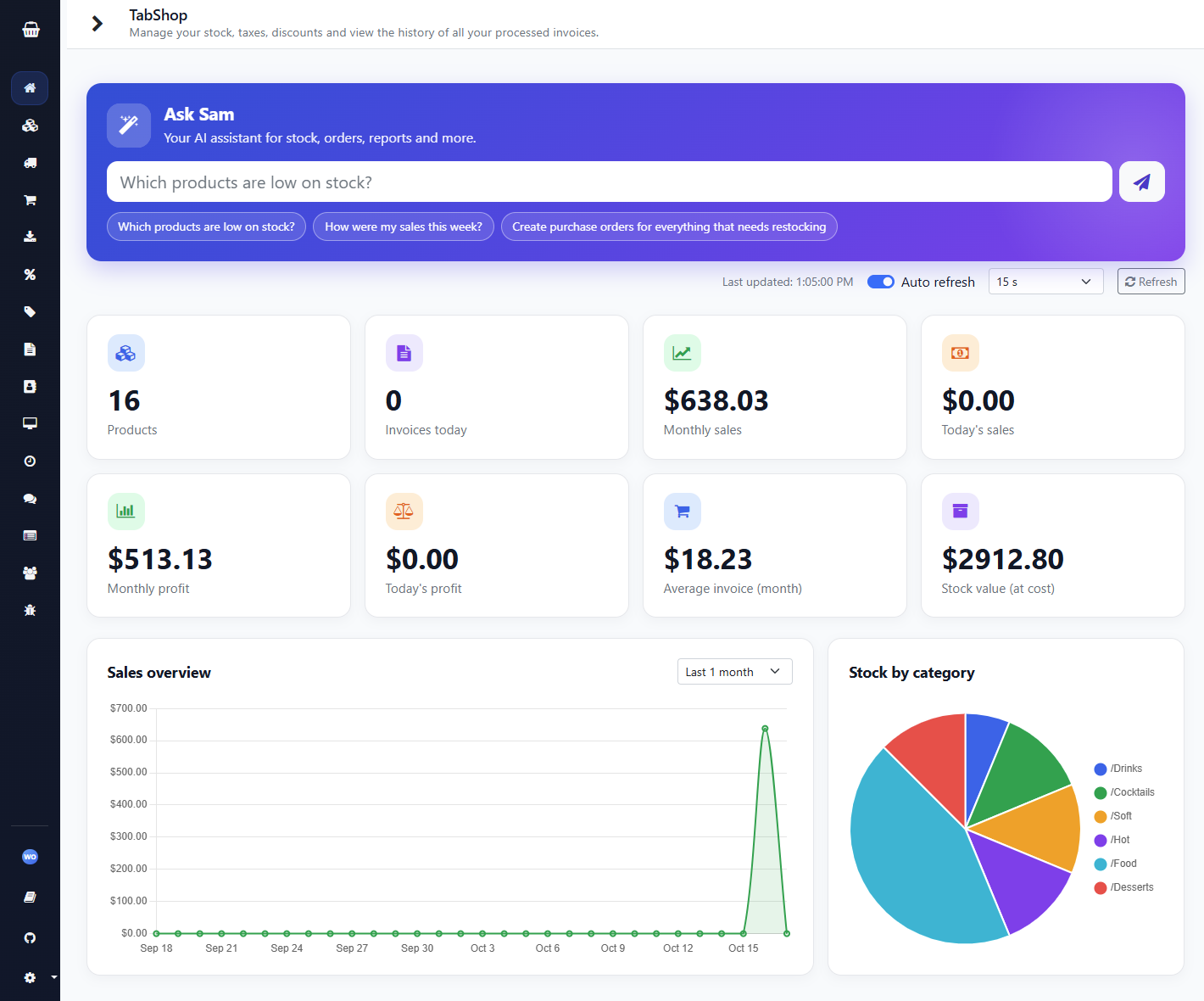
Live dashboard: how is the business doing today?
Open your browser and see at once what sold and what it earns – without exporting data to someone else's analytics tool.
- Sales over time and profit
- Average invoice value
- Stock value and stock health
- Sales by category, automatic refresh
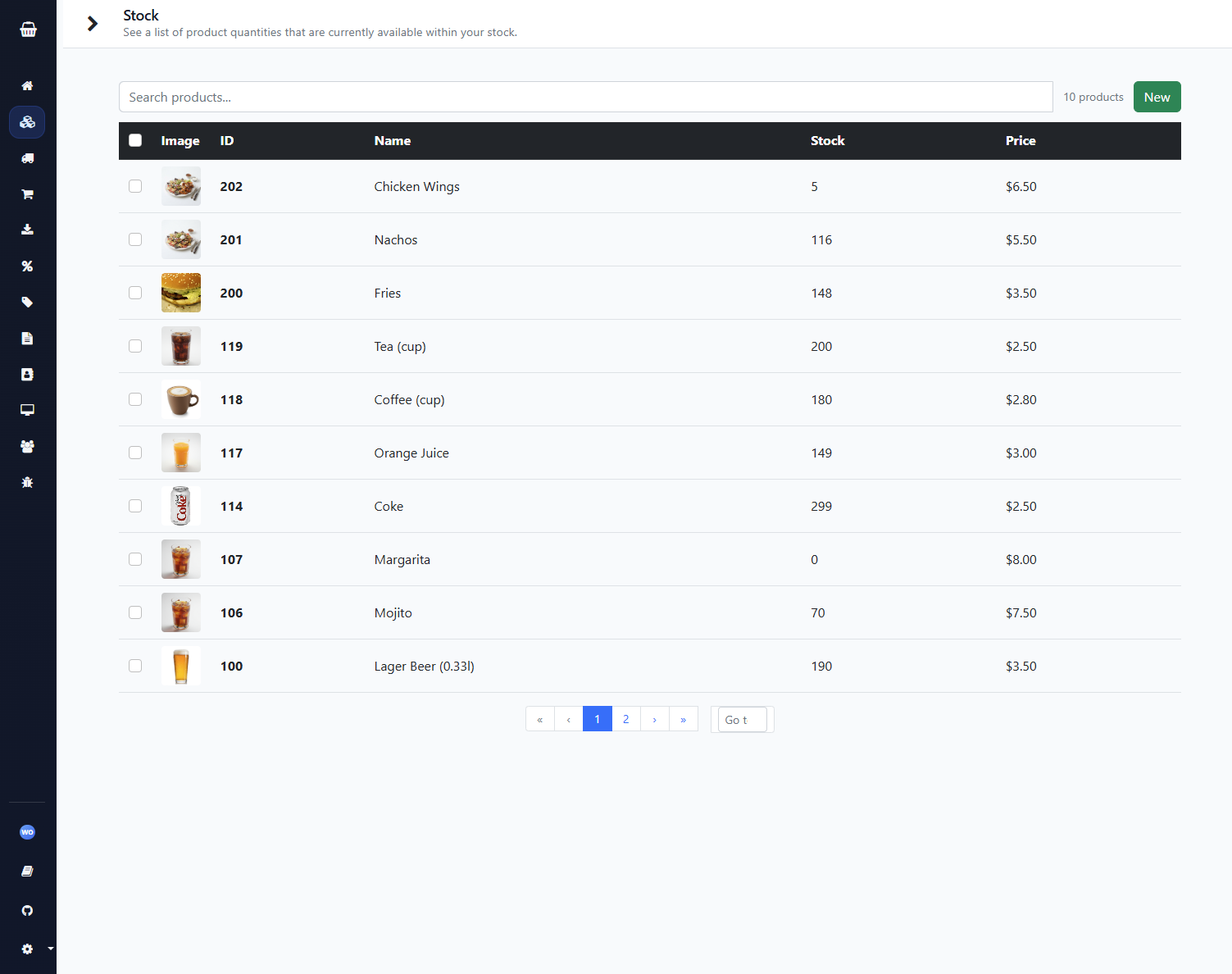
Products & stock under control
Maintain your range with categories, prices, taxes, discounts and pictures. Every sale from the till books the stock out automatically.
- Upload your own product pictures or start from bundled examples
- Search and paging for large catalogues
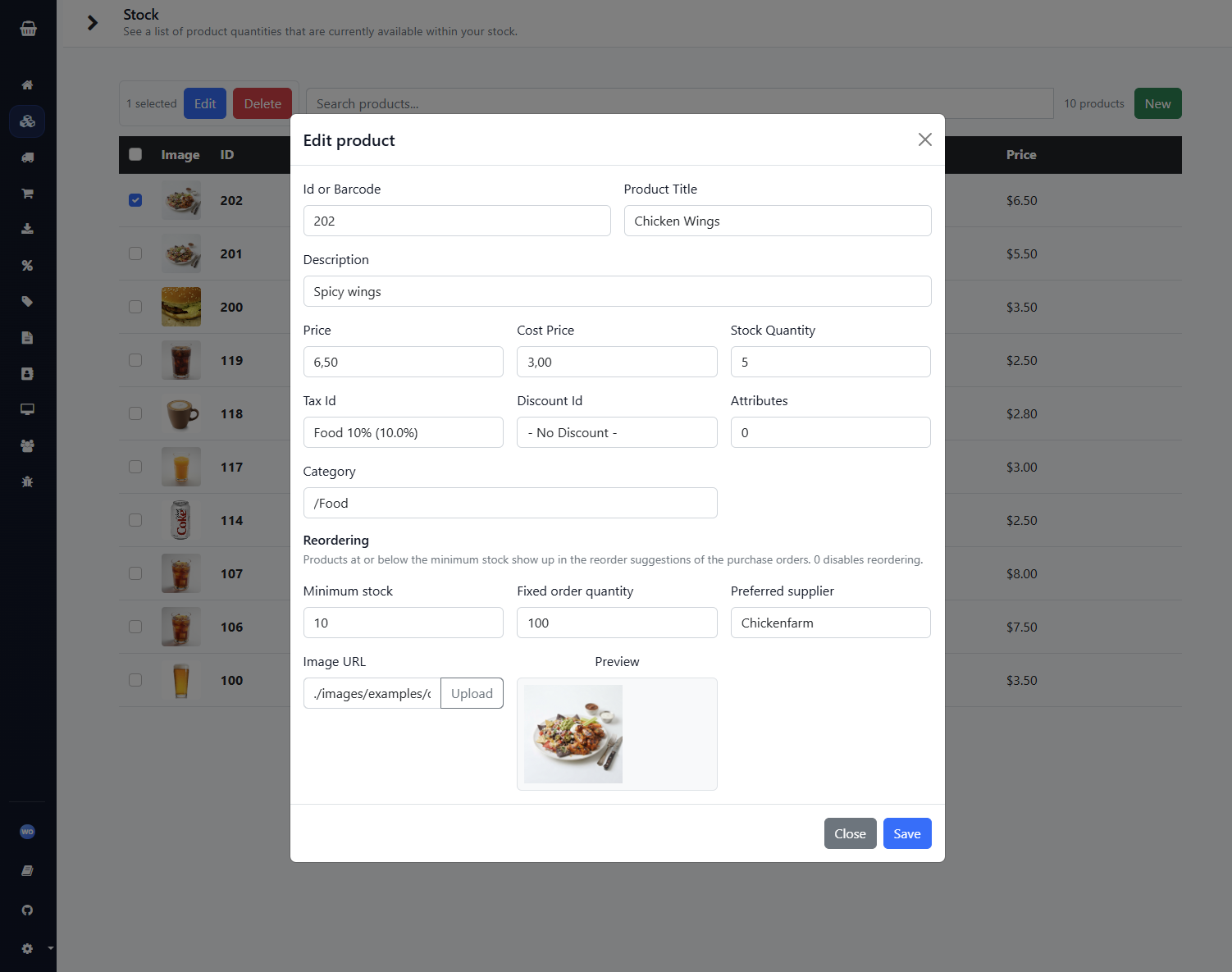
- Minimum stock, fixed order quantity and preferred supplier per product
- Your own tax rates and discounts, defined once and used everywhere
Editing a product
All settings of a product in one place: price, cost price, tax, discount, picture and reorder rules.
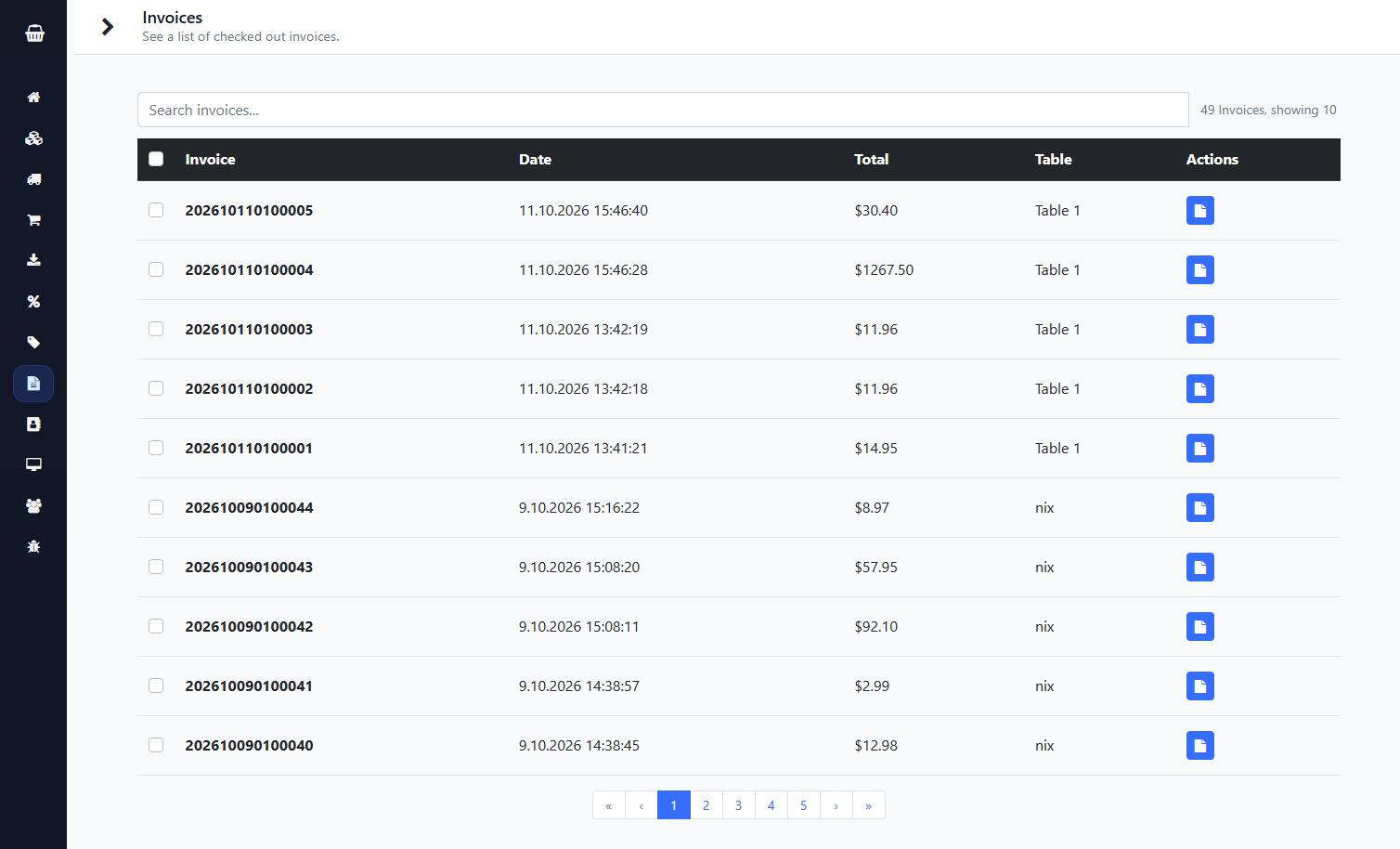
Invoices & customers – all stored at home
Every completed sale from your terminals is synced to the server. Find it again with search and create a PDF invoice when needed.
- Searchable invoice list with status and payment type
- PDF invoices stored on your server
- Customer list with contact details and loyalty points
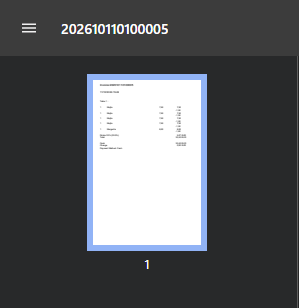
PDF invoice
Clean invoices with your taxes and discounts – generated on your server, not by a third party.
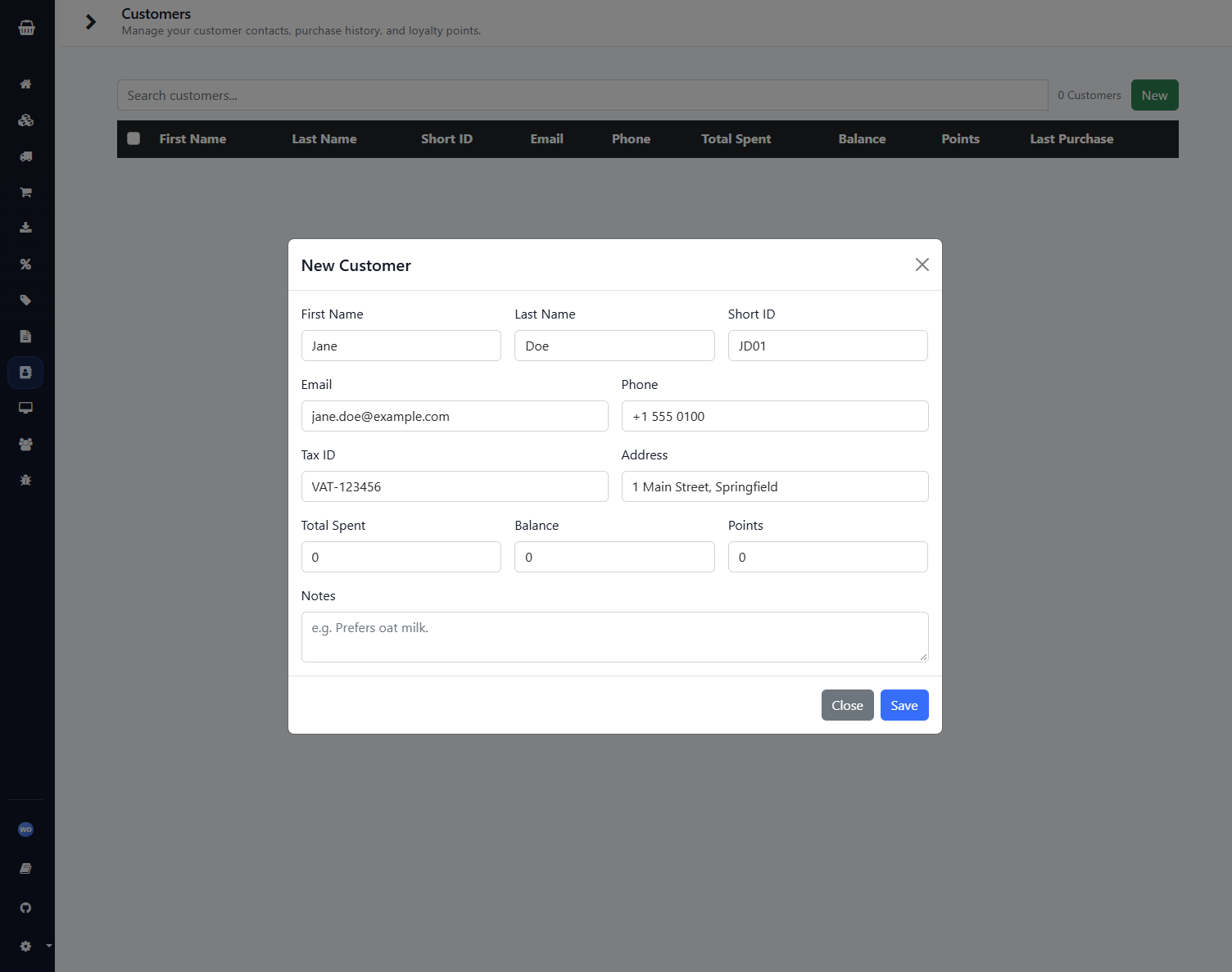
Customers & loyalty points
Keep track of regulars and reward them with loyalty points. Customer data never leaves your network.
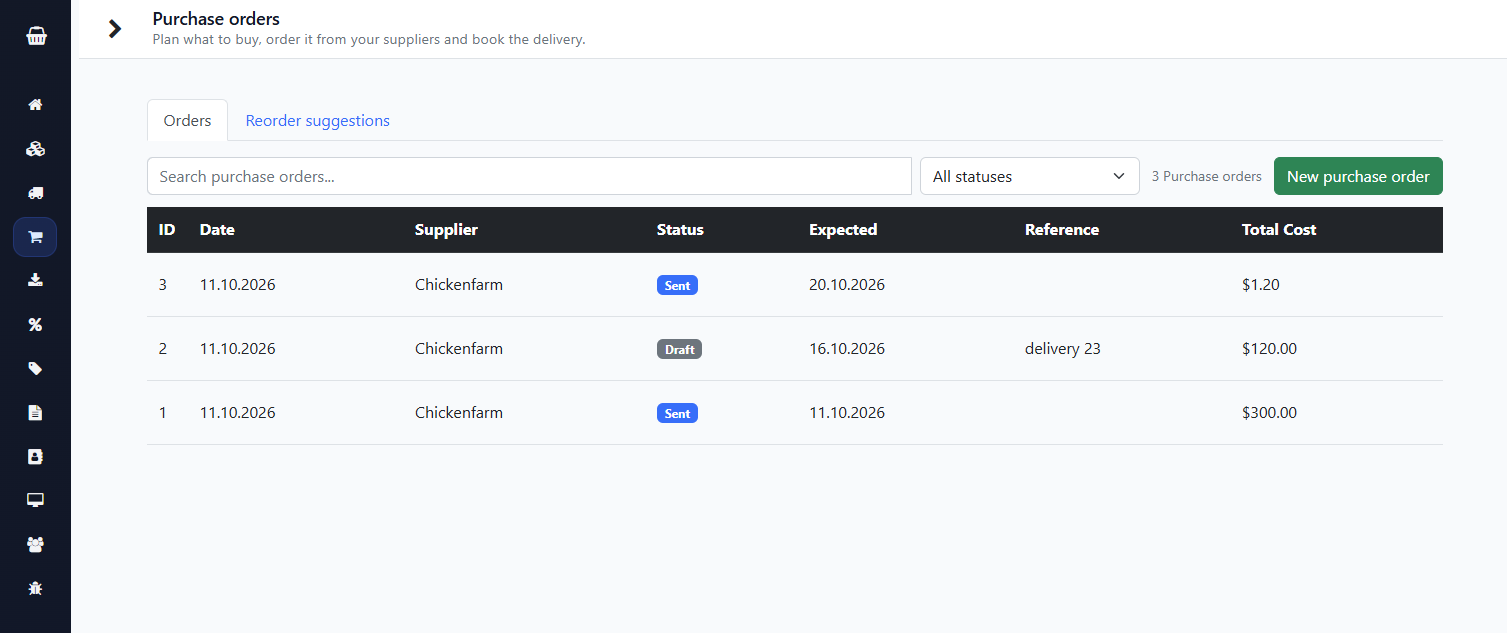
From supplier to shelf: reordering without spreadsheets
Count → decide what to buy → order → receive. TabShop Server guides you through the whole cycle.
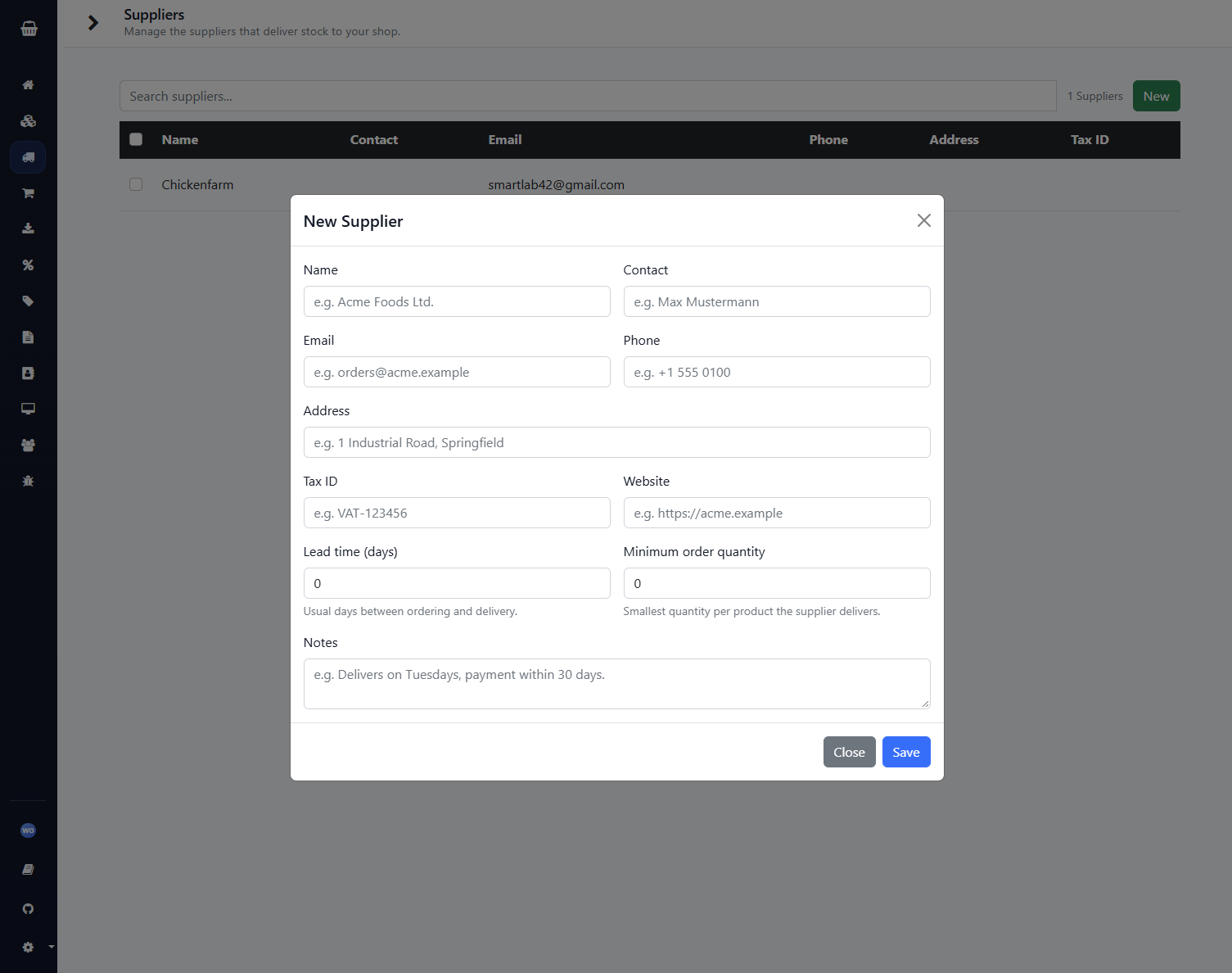
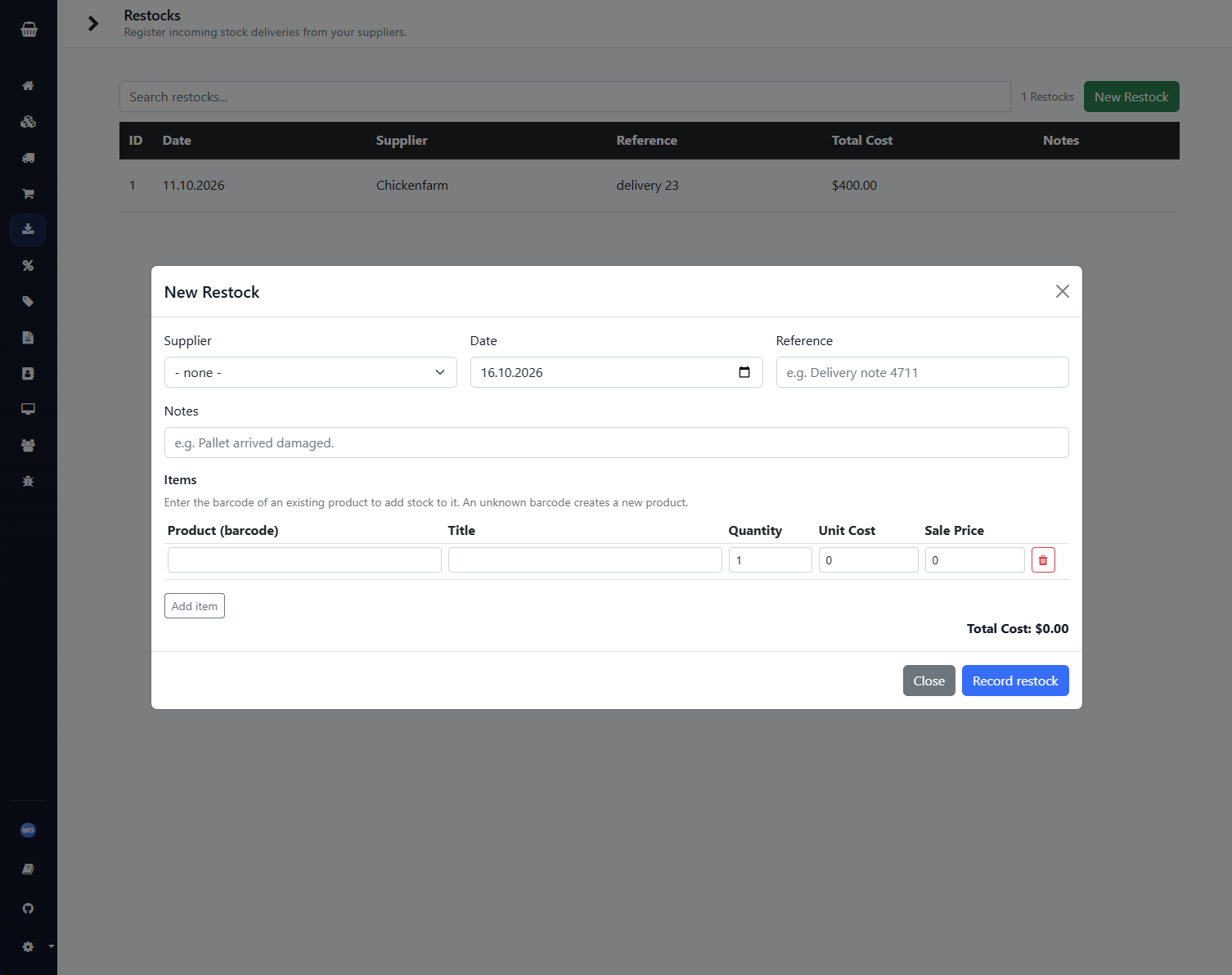
Suppliers & restocks
Manage your suppliers with lead time and minimum order quantity and book every delivery with quantity, unit cost and delivery-note reference.
- Stock rises automatically and the cost price is kept as a weighted average (10 pcs at 2.00 + 30 pcs at 4.00 = 40 pcs at 3.50)
- Unknown barcode? The product is created on the spot
- All or nothing: if one line is invalid, nothing is changed
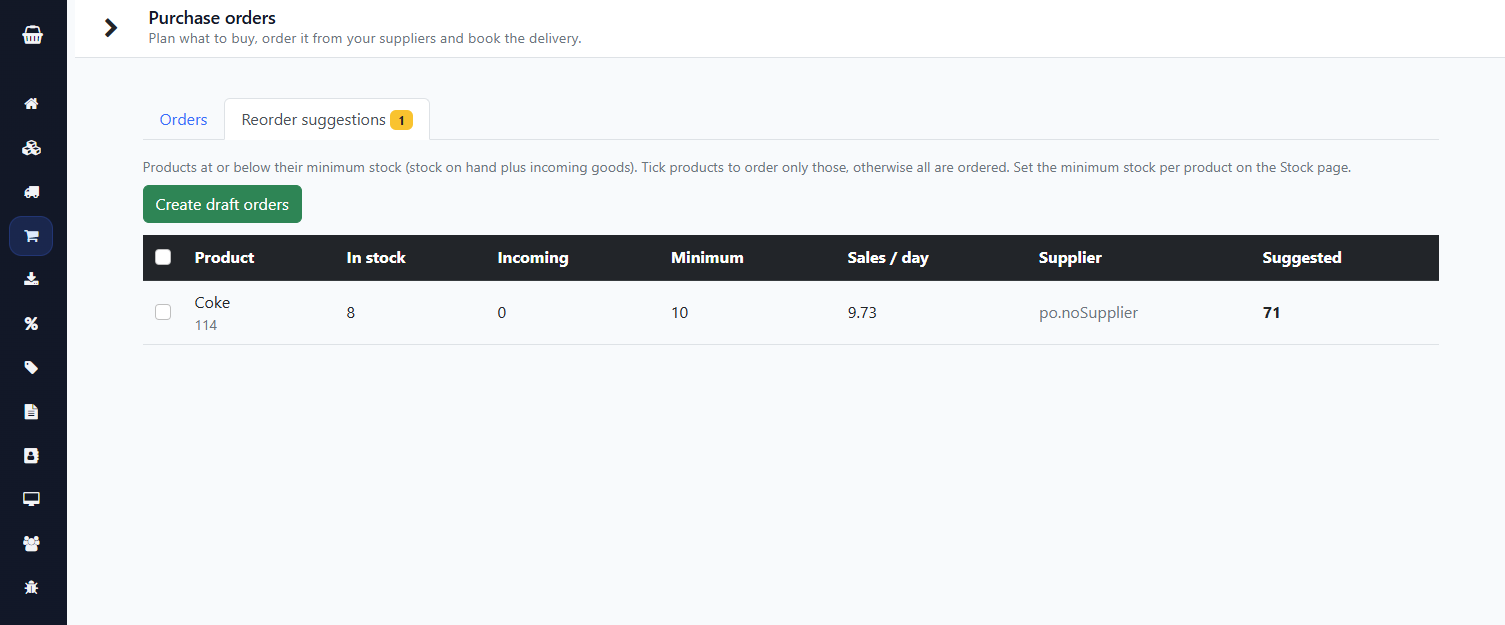
Reorder suggestions
Products below minimum stock are listed with a suggested quantity – calculated from the minimum stock, expected sales during the supplier lead time (average of the last 30 days) and goods already on order. One click creates draft orders, one per supplier.
Send purchase orders by email
Send the order straight from the server to your supplier – through your own mailbox. Recipient, CC, subject and message are editable and the order lines are added automatically. The SMTP password is stored AES-GCM encrypted.
Status flow: draft → sent → partially received → received (or cancelled). You see who sent it, when and to which address.
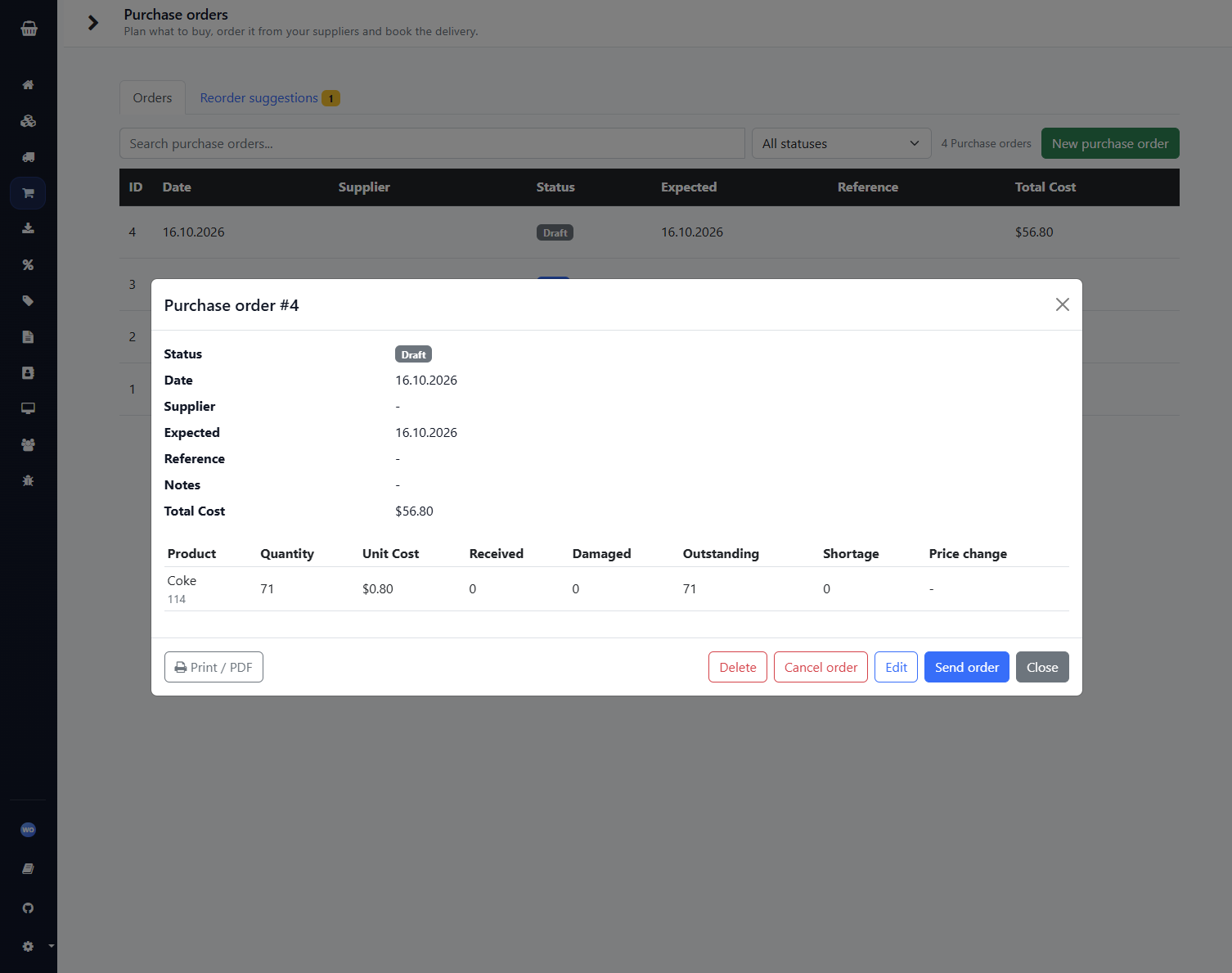
Receiving against the order
Book full or partial deliveries. Good quantities go into stock, damaged goods are recorded but not added, and quantities that never arrive are kept as shortage.
Your own back-office assistant: always on duty, reachable by email
Sam – the assistant’s default name, you choose your own – takes your orders and questions by email and answers immediately. No login, no app, no waiting: you write the way you would write to a member of staff.
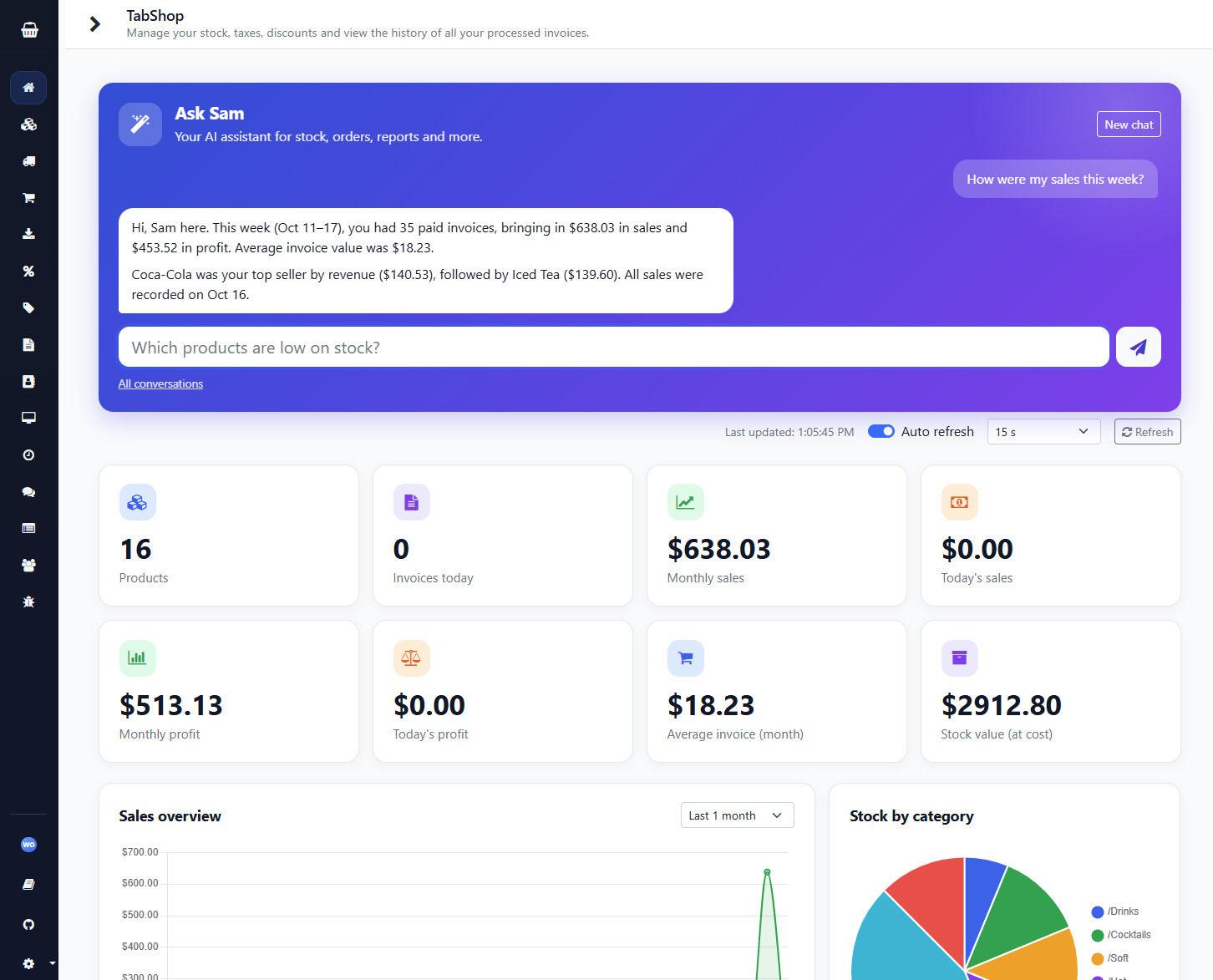
Right in the browser: the chat on the landing page
As an admin you are greeted by a chat tile on the landing page. Just ask, for example “How were my sales this week?” – the answer appears as a clean chat conversation, without any tool details. If no AI model is set up yet, a tile takes you straight to the settings.
Write what you want to know or get done
A plain email to the shop mailbox is enough, for example “Give me a profit and sales report for today”. The assistant plans the necessary steps itself and uses the functions of your TabShop Server to carry them out.
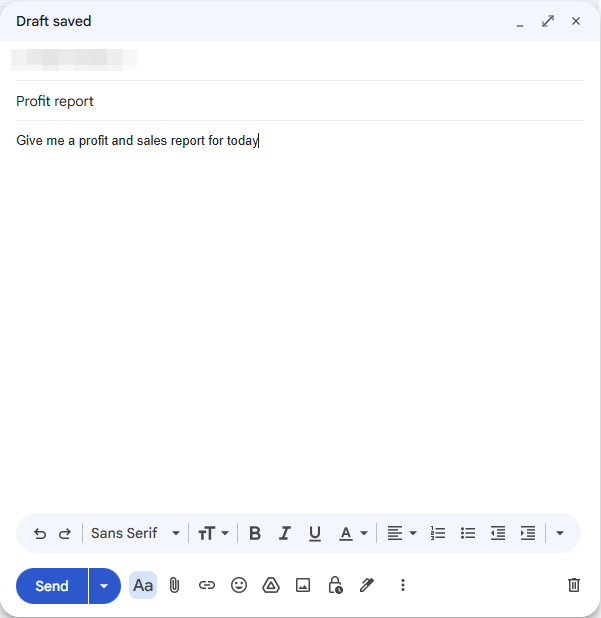
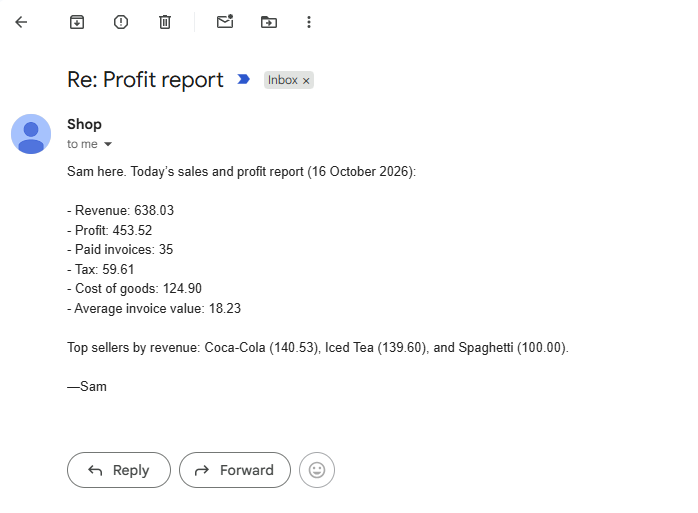
The answer comes straight back
A few seconds later the answer is in your inbox – with real figures from your shop. Revenue, profit, invoices, tax and the best sellers of the day are all there.
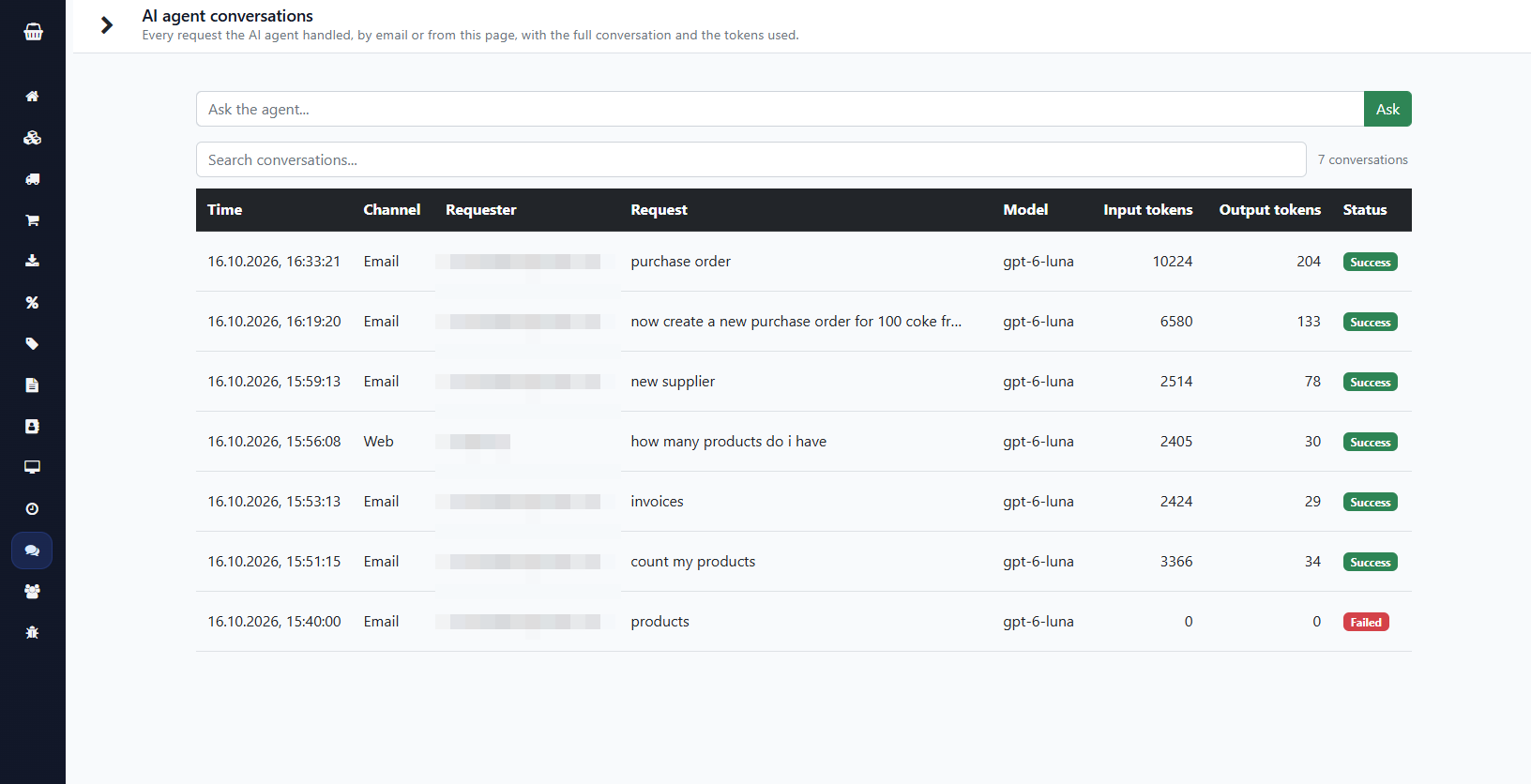
Every request is on record
Admins get an “AI agent” entry in the menu: every request is stored with the sender, the full conversation, the tokens used and the model. You can also ask the assistant directly in the browser there.
What the assistant does for you
- Check stock levels and tell you whether a restock is necessary
- Create purchase orders and send them to the supplier by email
- Generate revenue and sales reports
- Run a backup
- Create, change and delete products, suppliers, customers, taxes and discounts
- Add or change scheduled tasks
Safe by design
- Only email from the addresses of registered admin users is answered; all other mail is ignored before the assistant is even triggered
- Mail that your mail server flags as forged (SPF, DKIM, DMARC), auto-replies and mailing lists trigger nothing
- The assistant acts on your order right away, so say exactly what it should do
- You use your own account at OpenAI, Anthropic or Google; only the request and the shop data needed to answer it go to that vendor, everything else stays on your server
The till: Android app, offline-capable, connected by QR code
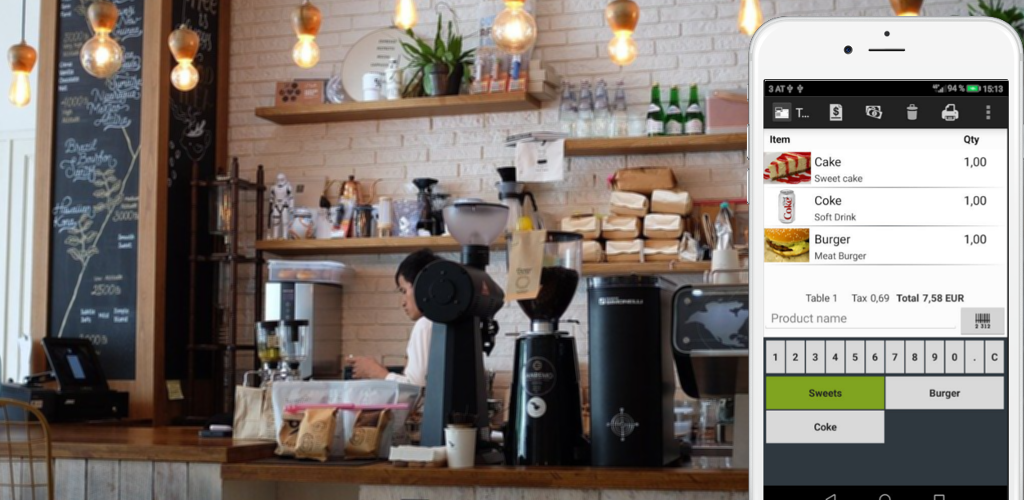
The TabShop Android app turns any phone or tablet into a fast till. It checks out customers without internet and syncs as soon as your server is reachable again.
- Set your server address in Settings
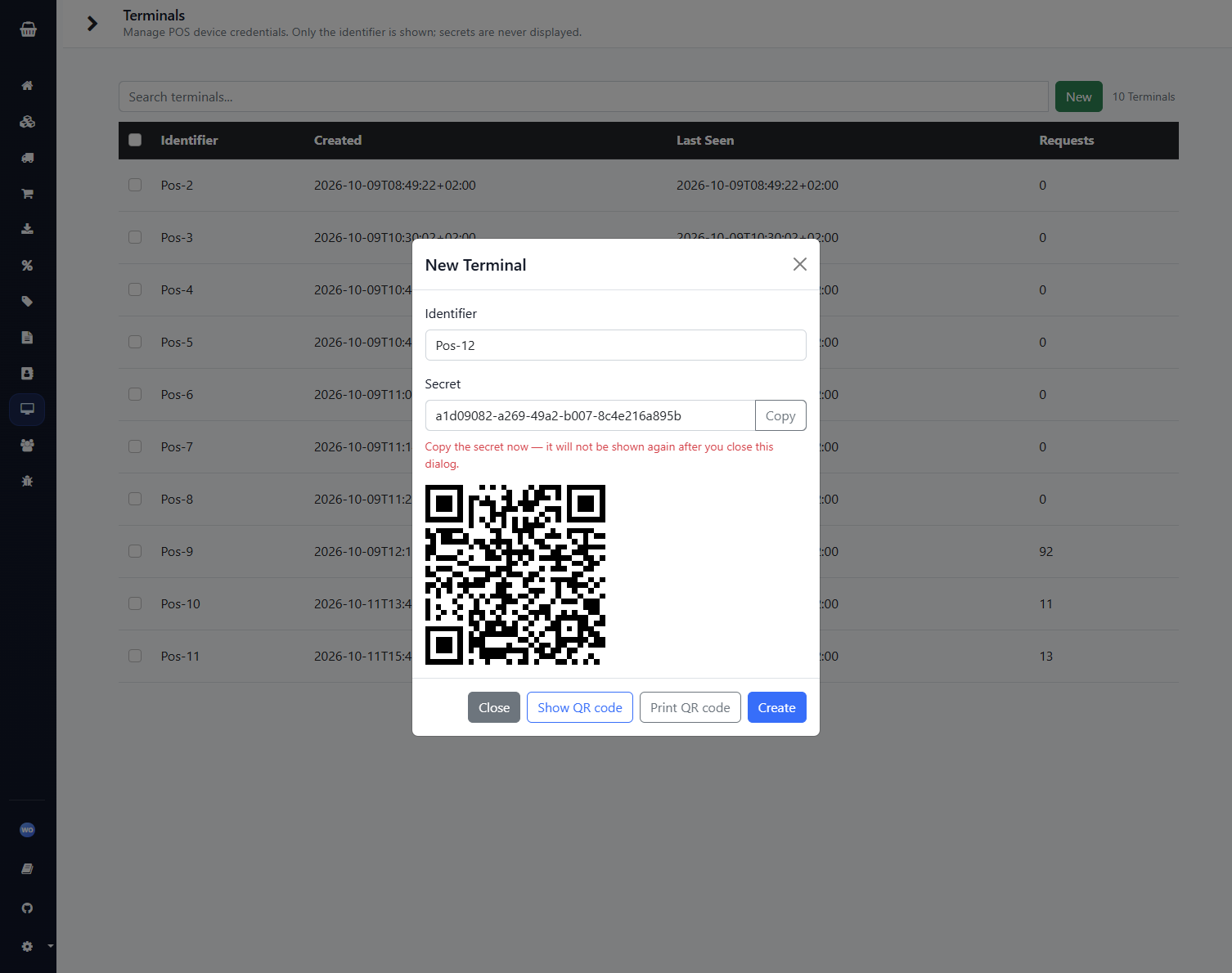
- Add a terminal under Terminals
- Scan the QR code with the app – done, nothing to type
Checking out on a tablet
Fast operation at the counter, even when Wi-Fi or the internet drops out.
Roles and permissions for your team
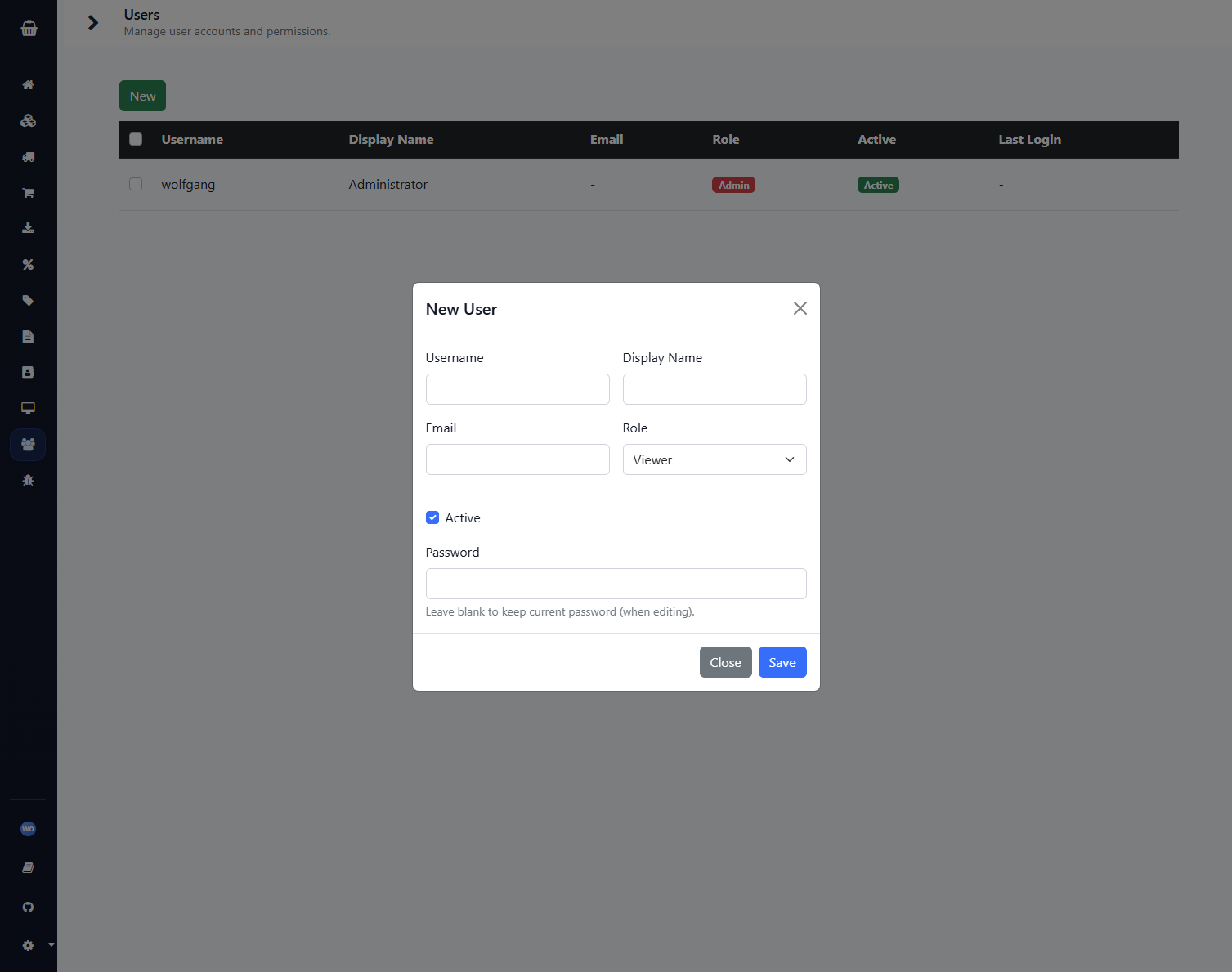
Everyone gets their own account. Permissions are checked on the server on every request.
- Admin – everything, including users and settings
- Manager – full access to stock, purchasing and suppliers
- Editor – records restocks and receives goods
- Viewer – read only
Settings & languages
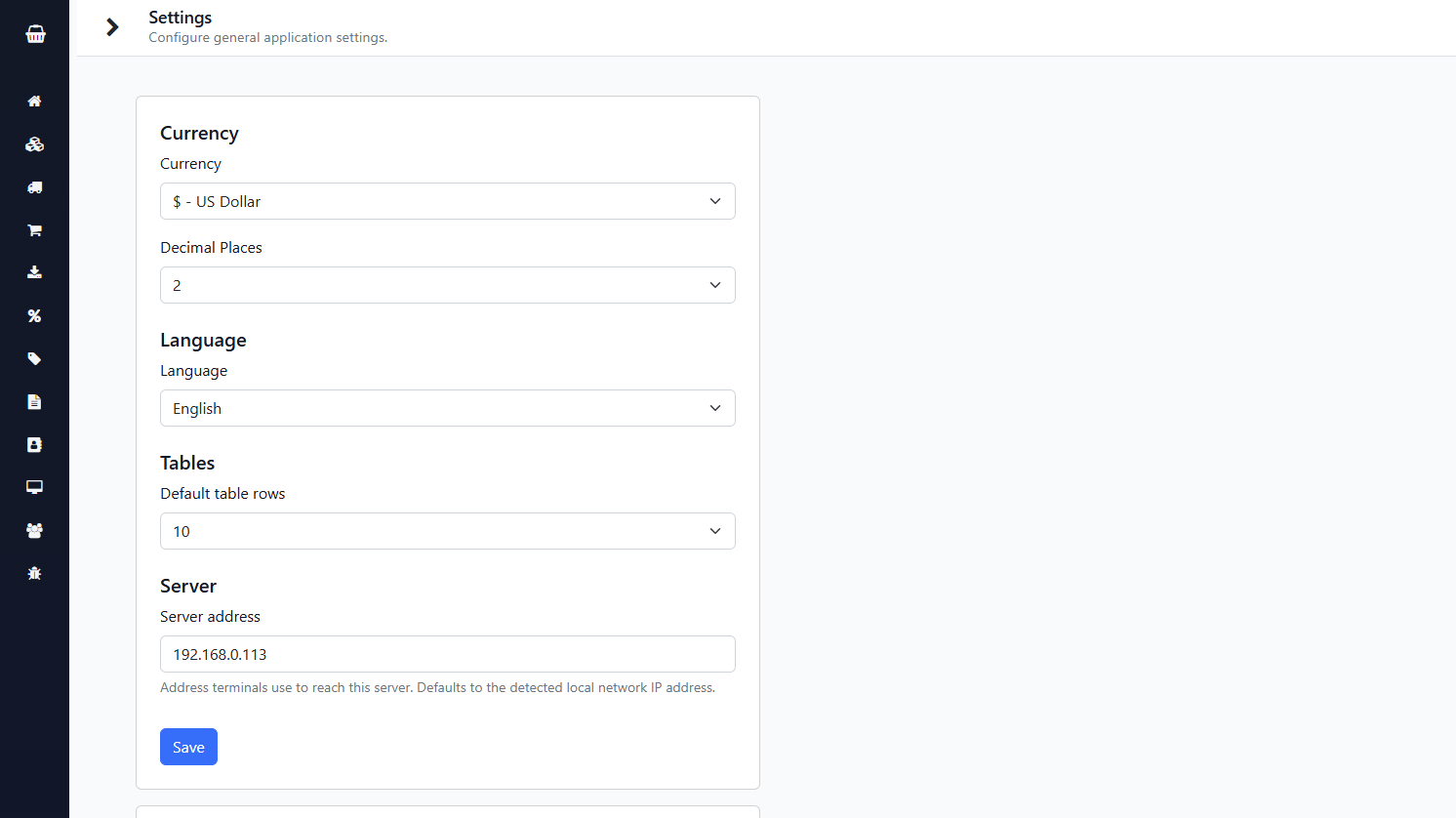
Configure the server address, email sending and more in one place. The interface is available in English, German, Spanish and Thai.
Next up: more automation
Planned are low-stock alerts, daily/weekly summaries, stock counts and simple reports. planned
How it works: simple and entirely on your premises
 Android tablet / phone                 TabShop Server
 (TabShop app, offline checkout)  --->  Go backend + web backoffice
        sync when online                SQLite file + uploads folder
        (your own network)              (your own hardware)
- A single Go program serves the web UI and the REST API used by the app and the browser.
- All data lives in one SQLite file plus an
upload/folder for pictures and PDFs. Back up those two and you have backed up your business. - No external database or cloud service needed – the data never leaves your infrastructure.
- Cookie-session login with per-role permission checks on every endpoint.
| TabShop Server | Typical cloud POS | |
|---|---|---|
| Where is the data? | On your hardware | On the vendor's servers |
| Monthly cost | €0 | Subscription per terminal / user |
| Internet outage | Till keeps working offline | Often limited |
| Moving your data | Copy one file | Export on request, if at all |
| Vendor price changes | Not possible – you run it yourself | Any time |
Self-host it in a few minutes
- Run it – mounting a folder for your database and uploads:
docker run -p 80:80 -e PORT=80 -e ADMIN_USER=admin -e ADMIN_PWD=change-me \
  -v /path/to/data:/tabshop wolfgangb33r/tabshop-server:latest
- Open
http://localhostand sign in with the admin account. - Add a terminal, scan the QR code with the TabShop app and start selling.
go run . is enough. For real-world use put a reverse proxy with TLS (nginx, Caddy, Traefik) in front and do not expose the port to the public internet – so everything stays inside your network. Frequently asked questions
What is TabShop Server?
TabShop Server is the back office for small shops: stock, products, invoices, customers, suppliers and purchase orders. It runs as a single Go program on your own hardware (for example a Raspberry Pi, an old PC or a server) and is used together with the TabShop Android app as the till.
How much does TabShop Server cost?
TabShop Server is free to self-host with no subscription: no monthly licence fee and no fee per user, terminal or invoice. You only pay for your own hardware and electricity.
Is my data sent to a cloud?
No. All data lives in one SQLite file and an uploads folder on your own server. There is no cloud connection, no telemetry of your sales data and no third-party service involved. Only if you configure email are purchase orders sent to your suppliers through your own SMTP server. The optional AI assistant uses your own account at an AI vendor (OpenAI, Anthropic or Google): only if you set it up are its requests and the shop data needed to answer them sent to that vendor.
Does the till work without internet?
Yes. The TabShop Android app checks out customers offline and syncs completed invoices to your server when it is reachable again. The server itself only needs your local network.
What hardware do I need?
A Raspberry Pi is enough for a small shop. Alternatively the server runs on an old PC, a NAS with Docker or a small VPS. No external database server is needed.
How do I back up my data?
Back up the SQLite file and the upload folder (plus the matching .key file if you configured email). That backs up your whole business and lets you move it to other hardware at any time.
Which licence does TabShop Server use?
The source code is source-available under the Elastic License 2.0 (ELv2).
How do I install TabShop Server?
The easiest way is Docker: start the image from Docker Hub with a data folder and the ADMIN_USER and ADMIN_PWD variables, then sign in with your browser. Alternatively use "go run ." without Docker.
Responsibility and liability
TabShop Server is provided as is, without warranty of any kind. You run the software yourself and you alone are responsible for making sure that its use in your business complies with the laws and regulations that apply to you, for example on taxes, invoicing, cash register requirements, record retention and data protection.
The author of TabShop Server accepts no responsibility or liability for any financial loss, lost profits, data loss, legal claims or other damages arising from the use of the software. This includes responsibility for backups, for securing your server and for the correctness of your invoices and bookings.
Your shop. Your data. Your rules.
No subscription, no cloud, no surprises. Start today with your own TabShop Server.